Environment Variables
Environment Variables can be used within the Channel configuration to store values that can be used across multiple Channels. This allows you to define a value once and use it in multiple places, making it easier to manage and update values across multiple Channels.
How to access
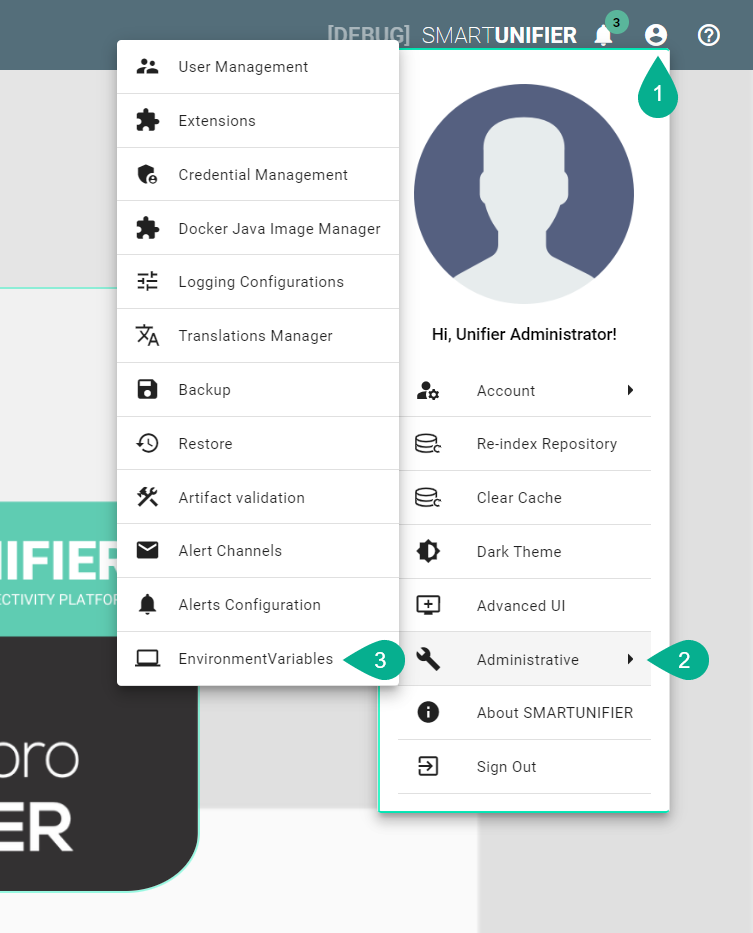
Click on the Account icon on the top right corner of the screen.
Select Administrative
Select Environment Variables
Managing Environment Variables
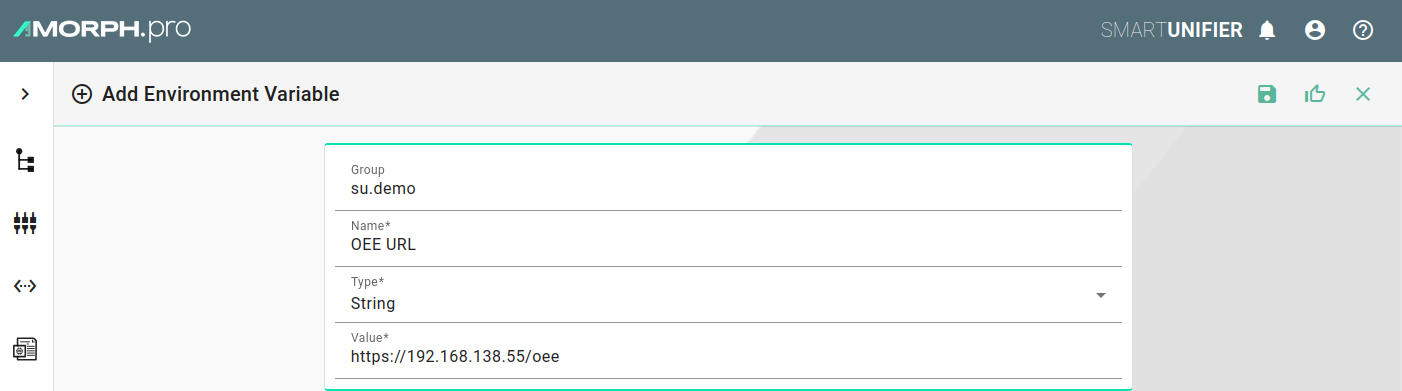
In the following menu, Environment variables can be added, modified and deleted

Environment Variable Properties
Property |
Description |
Example |
|---|---|---|
Group |
The group to which the environment variable belongs. |
su_demo |
Name |
The name of the environment variable. |
OEE_URL |
Type |
The data type of the environment variable. |
String |
Value |
The value assigned to the environment variable. |
Using Environment Variables
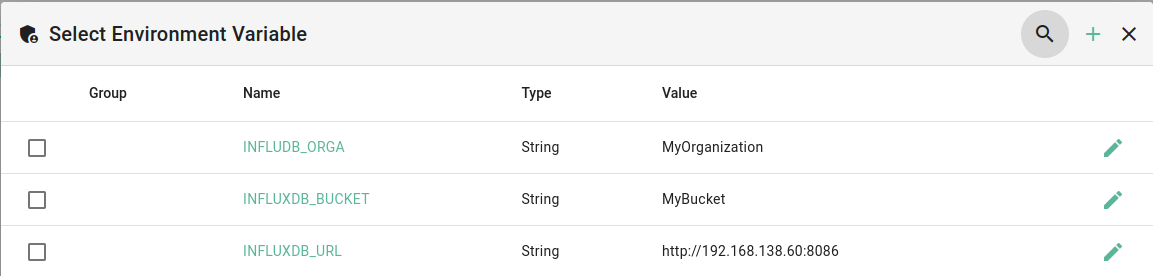
To use an Environment Variable in the Channel configuration, use the shortcut CTRL + SHIFT + E. In the popup that appears, you can select the desired environment variable by clicking the checkbox on the left.
Example channel configuration with Environment Variables
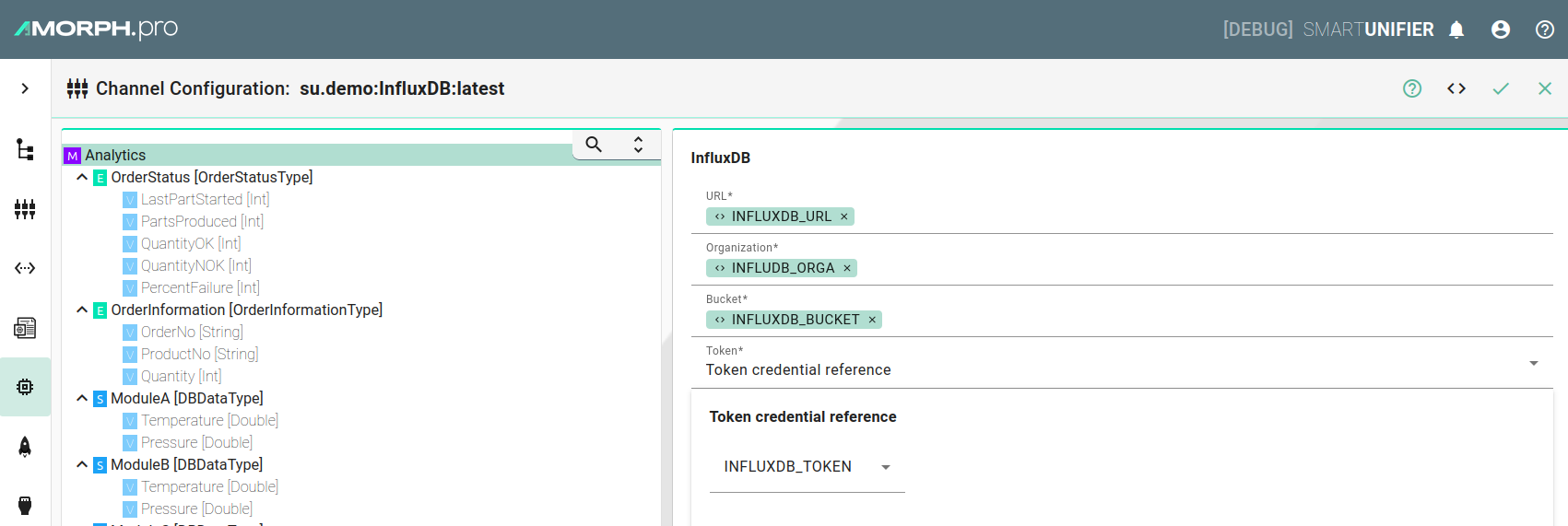
Pupup for selecting / adding Environment Variables
Inside SmartUnifier
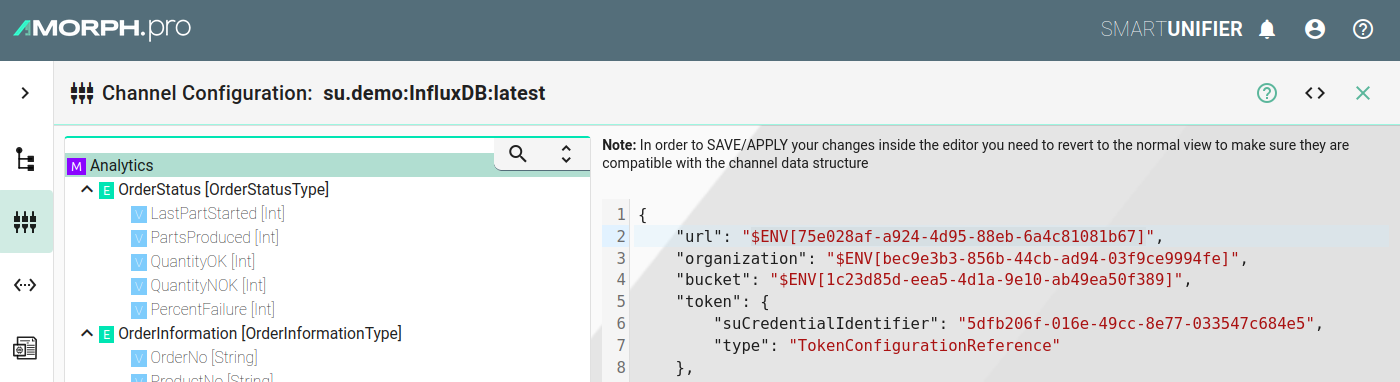
Environment Variables are stored inside the internal database, and each Environment Variable has its own UUID.
When an Environment Variable is used within a channel configuration, a placeholder will be inserted (e.g., $ENV[75e028af-a924-4d95-88eb-6a4c81081b67]).
When saving, the placeholder will be temporarily replaced by the actual variable to perform validation of the configuration.
During deployment, the placeholder will then be replaced by the actual value stored in the Environment Variable database.