MQTT Client
Characteristics
MQTT is an OASIS standard messaging protocol for the Internet of Things (IoT). To learn more about the standard visit the MQTT website.
Information Model Requirements
The first node after the root node,
 , must be of type Event
  or Variables
  with a Simple Data Type or Complex Date Type.
Properties can be used Properties
 for dynamic topics within Events and Complex Variables
The following Node Types can be used under the Event Node:
Variables
with a Simple Data Type represents the key-value pairs.Variables
with a Custom Data Type represent objects that can contain key-value pairs.With Lists
 you can aggregate multiple variables.
Hint
When publishing a topic, the Information Model dictates the payload's structure.
Hint
When subscribing to a topic, ensure that the Information Model structure aligns with the payload.
Complex Variables nodes
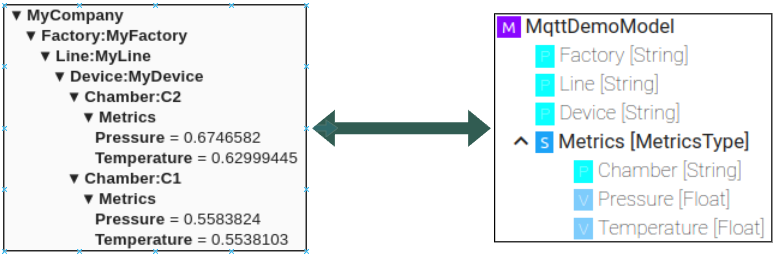
Event nodes

Configuration
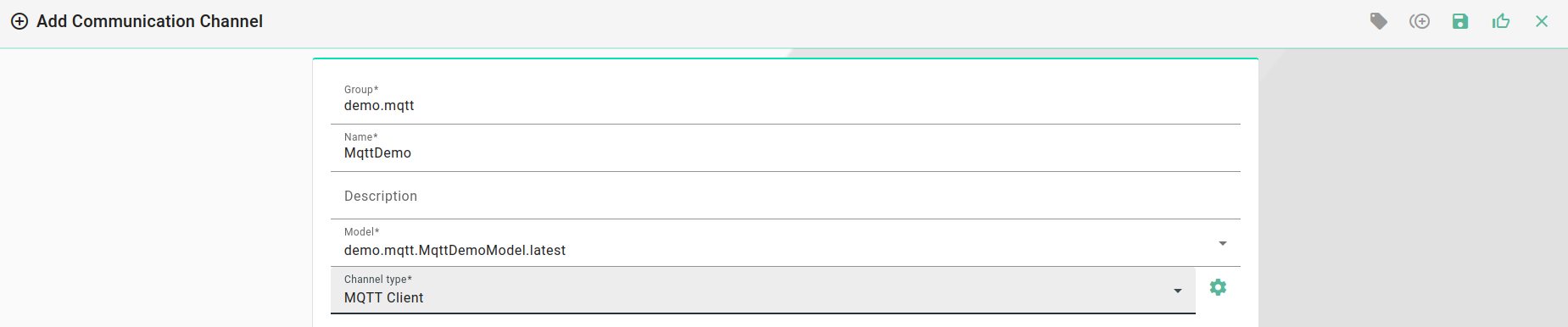
Model
Select the MQTT Client as Channel Type.
Click the Configure button.
Select the root model node
Configure the MQTT client:
Enter Host and Port of the MQTT Broker used
(Optional) Specify a Client ID
Set the Quality of Service (QoS)
If required configure the credentials.
If required configure TLS
(Optional) Provide CA certificate to validate the host
(Optional) Provide Client certificate and key file for client authentification
(Optional) Provide a prefix for the topic that will be used when publishing messages
If required, adjust the default values for Reconnect interval and the Unit
(Optional) Change the default message options. These can be overwritten for each event

Events
Select the event node in the tree on the left.
Select the Direction (Producer or Consumer)
For Producer set Retain if required
Configure the topic.
Optional override the default message options

Variables
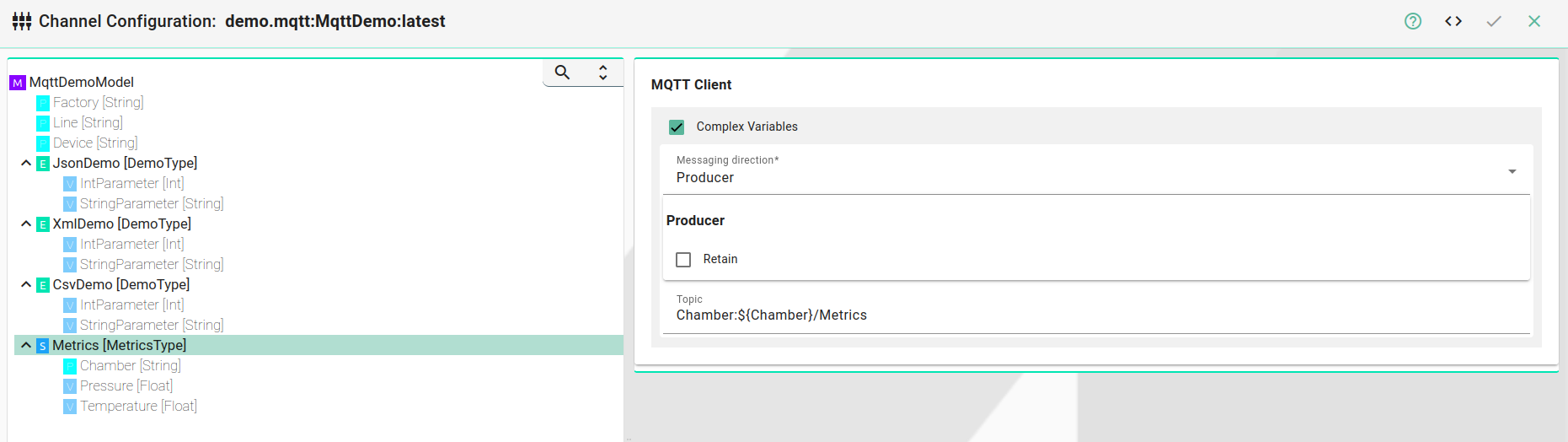
Select the variable node in the tree on the left.
Select the Direction (Producer or Consumer)
For Producer set Retain if required
Configure the topic.
Optional override the default message options
Topics
The topics for publishing and subscribing can be configured in a static but also dynamic why where variables and properties are used within the topic
Producer
In the Model configuration a prefix (
Producer topic prefix) can be configured.This prefix will be automatically added to the topics for producer events and variables.
If variables/properties are going to be used they need to be written in the
${VariableName}pattern.In the producer prefix only variables that are directly in the root node of the Model can be used.
In the topic configuration of the events / complex variables only variable and properties with the complex variable can be used
If the topic in the event / complex variable configuration starts with a "/" then the prefix will not be added
Example
Following variable values are used in the example:
Name |
Value |
|---|---|
Factory |
MyFactory |
Line |
MyLine |
Device |
MyDevice |
Chamber |
15 |
Topic configuration
Producer prefix |
Event / complex variable topic |
Topic (Example) |
|
|---|---|---|---|
|
Complex variable: |
|
|
|
Complex variable: |
|
|
|
Complex variable: |
|
|
Consumer
In the Model configuration a prefix (
Consumer topic prefix) can be configured.This prefix will be automatically added to the topics for consumer events and variables.
Variables/properties can be used as wildcards in events and complex variables. They need to be written in the
${VariableName}pattern.Wildcards are not supported in the prefix
Wildcards variables/properties can only be used for an entire topic segment. For example
MyNamespace/${Factory}/Metricswhich will be translated intoMyNamespace/+/MetricsA partial topic segment is not possible. For example
MyNamespace/Factory:${Factory}/MetricsIf the topic in the event / complex variable configuration starts with a "/" then the prefix will not be added
Example
Consumer prefix |
Event / complex variable topic |
Topic (Example) |
|---|---|---|
|
Complex variable: |
|
|
Complex variable: |
|