Deployment Types
You can deploy your SMARTUNIFIER Communication Instances to any IT resource (e.g., Equipment PC, Server, VM, Cloud) suitable to execute SMARTUNIFIER Instances. Please refer to the installation guide for the system requirements. To see how an Instance is deployed, choose one of the deployment types below:
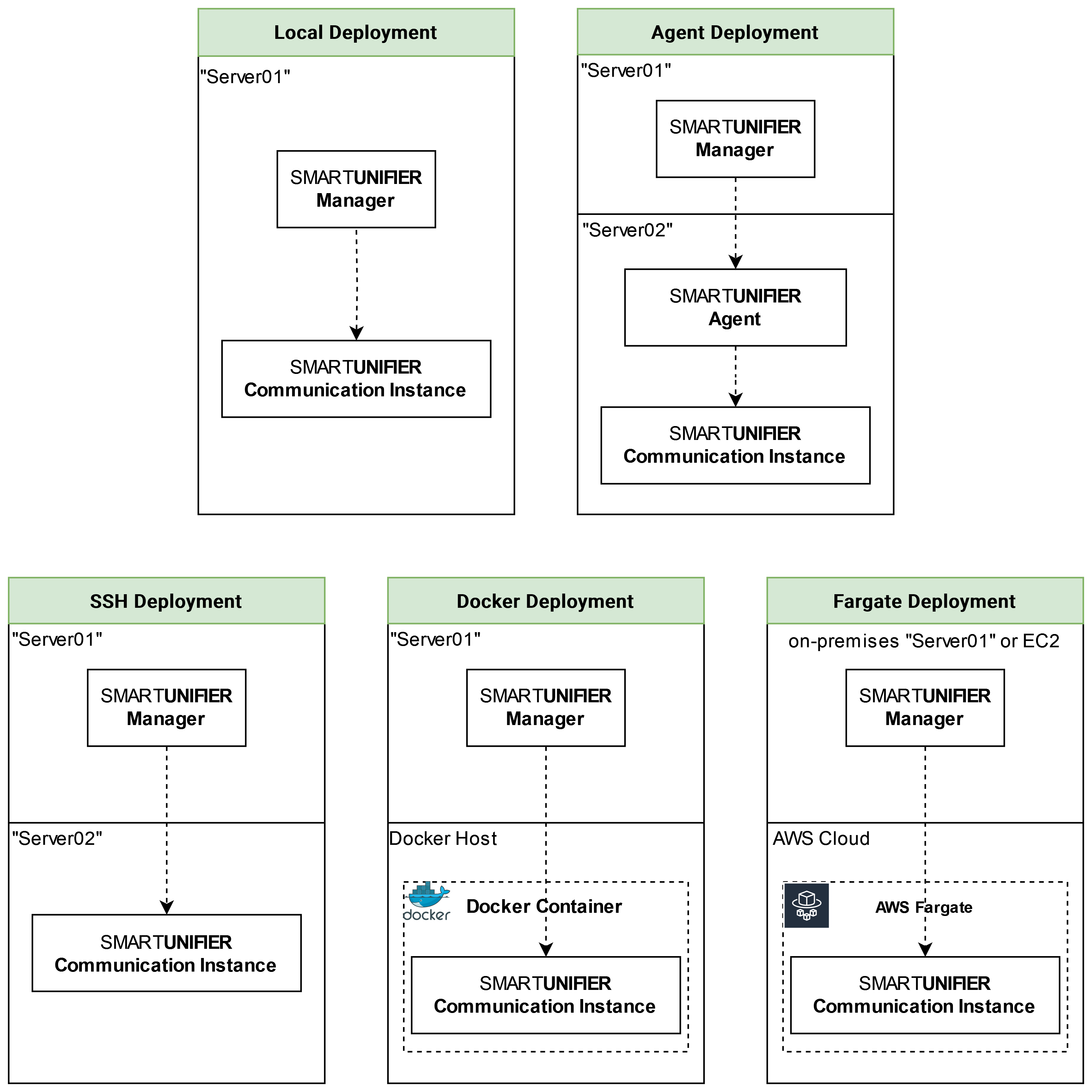
Overview over Deployment Types of SMARTUNIFIER Communication Instances
Local and Agent Deployment
SMARTUNIFIER Communication Instances can be deployed on the IT-resource where the SMARTUNIFIER Manager is running on (e.g., a computer, a server or the AWS Cloud).
Hint
Before deploying a Communication Instance make sure to create and Start a Deployment Endpoint. The Deployment Endpoint specifies the location where you want the Instance to run. By default, the SMARTUNIFIER package already comes with a Local Deployment Endpoint preconfigured.
Follow the steps described below in order to deploy a local/ agent Communication Instance:
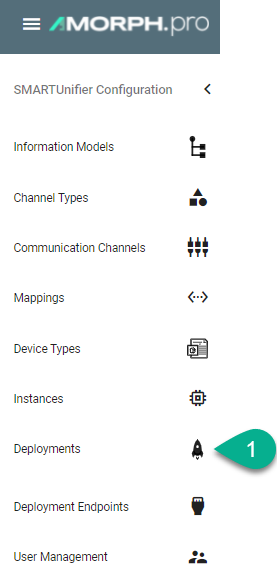
Select the SMARTUNIFIER Deployment perspective (1).
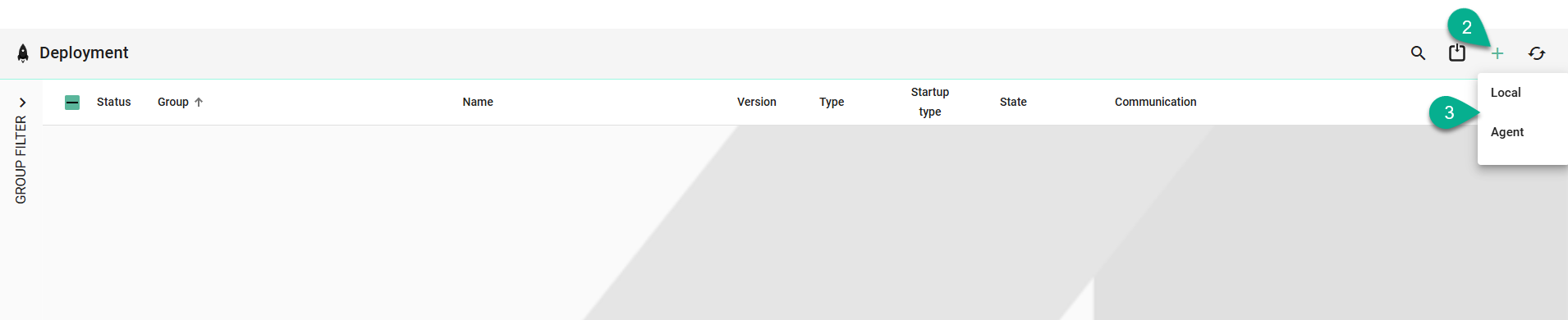
Click on the Add Deployment button (2).
Select the Deployment Type Local or Agent from the pop-up (3).
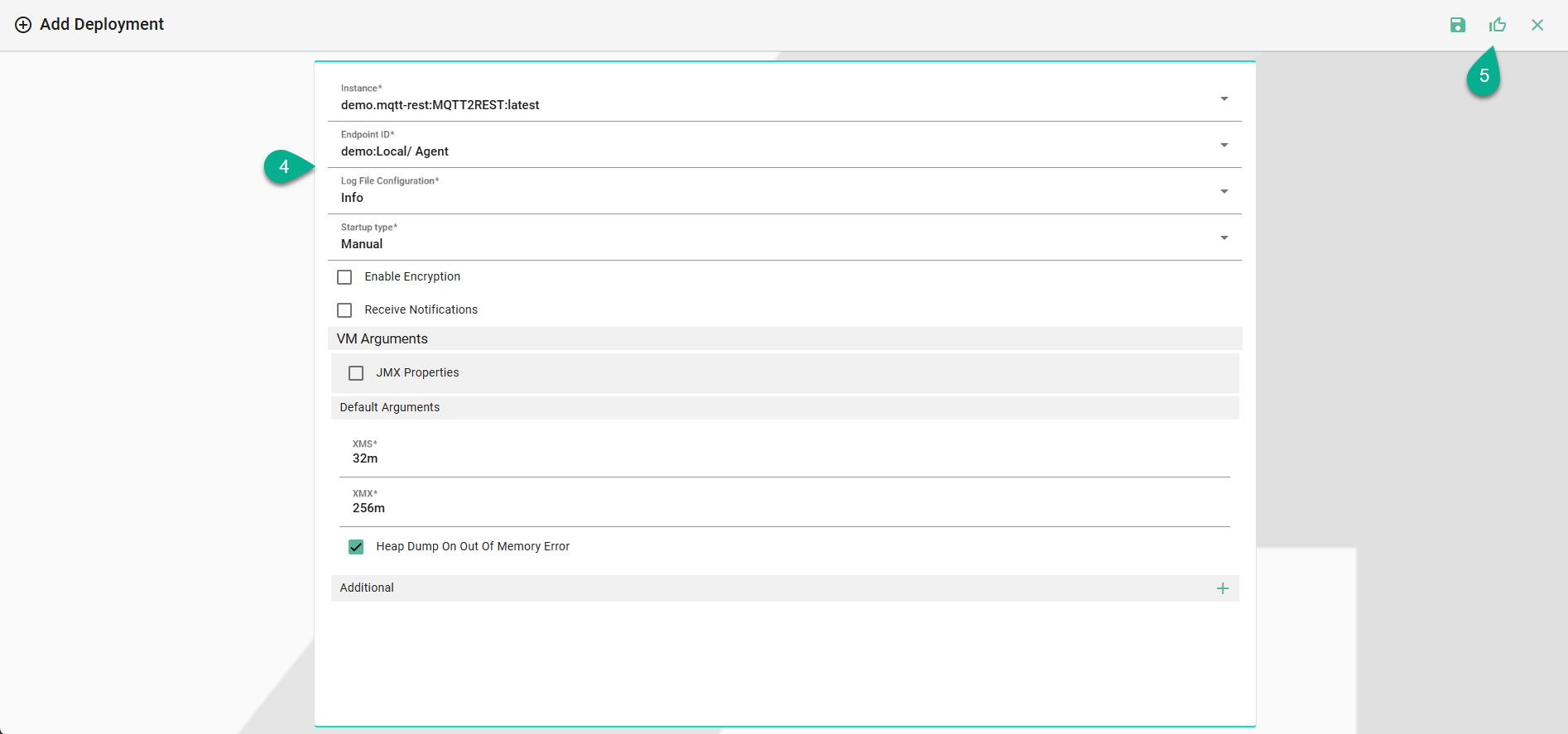
In the Add Deployment view a set of configuration parameters is required (4)
Select the SMARTUNIFIER Communication Instance to be used in the Deployment.
Either select the Local Endpoint, or select the agent Endpoint ID created in the Agent section from the Drop-Down menu.
Select the log file level. We recommend the log level of type Info in case of a normal deployment scenario.
Select the Startup Type [Manual|Automatic|Disabled], Manual is set as default.
(Optional) Enable Encryption.
(Optional) Receive Notifications.
(Optional) Add VM Arguments.
When all mandatory fields are filled click the Save and Close button (5).
When the Instance is deployed locally, it's configuration will be copied in the Deployment folder defined in the Local Deployment Endpoint configuration.
Note
The Instance configuration folder can be copied to another location and started, but the Instance will not be monitored by the SMARTUNIFIER Manager.
Deployment Endpoints