InfluxDB v1
InfluxDB v1 is the initial version of the high-performance time-series database designed for time-stamped data storage and real-time analytics, for more information visit the influxdata website.
Information Model Requirements
Writing
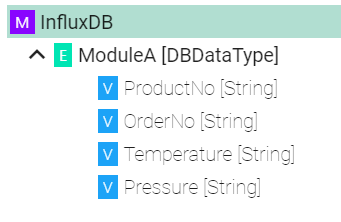
Measurements are represented by Event
 and Complex Variables
Tags and Time are as well represented by Variables
but they have to be specifically configured (see below Tags configuration and Time configuration)
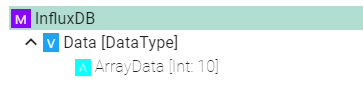
Arrays
 can be used to set use an index
Reading
Reading from InfluxDB is done using Command
 , Complex Variables and Lists
Result variables are optional, so the number of variables can be fewer than those returned by the query
For the time the types string, long and OffsetDateTime are supported
Variables in the requests can be used as parameters for building the query using the
${MyVariableName}patternFor ungrouped result the following command reply structure needs to be used
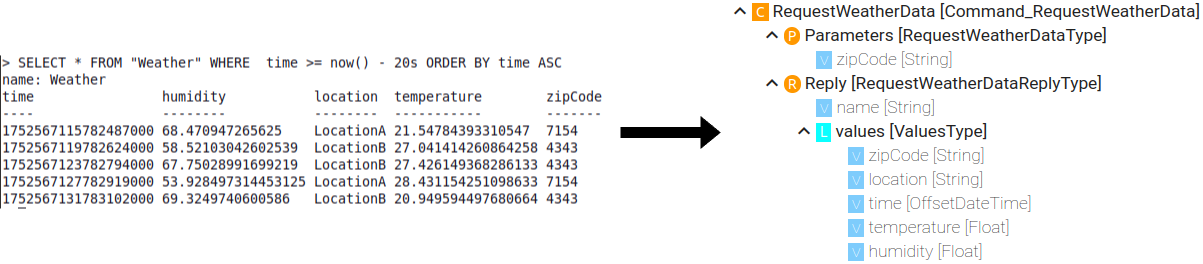
For grouped result the following command reply structure needs to be used
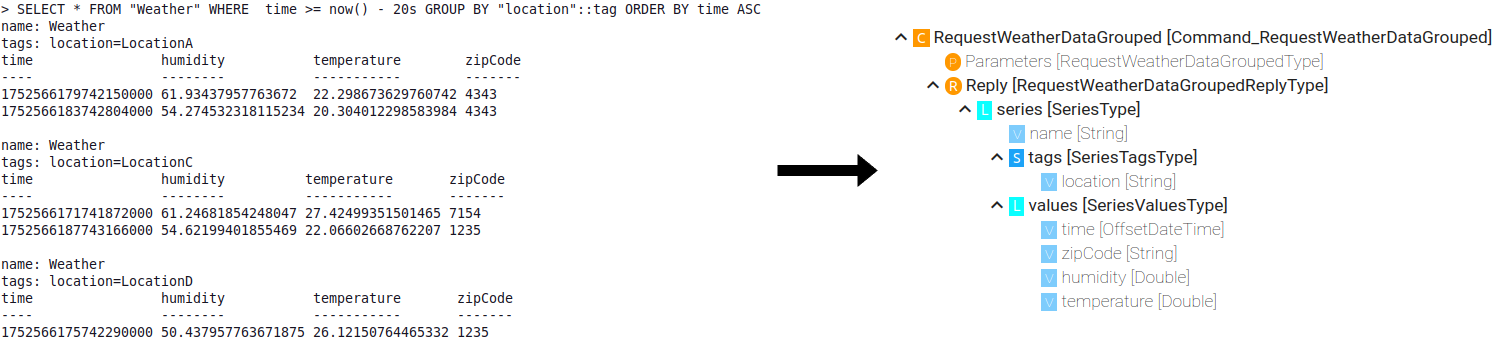
Configuration
Select the root model node in the tree on the left.
Configure the InfluxDB.
Enter the URL to the database
Enter the Database name
Enter the database Username and Password or select it from the Credentials Manager
Enter the Batch size - writes data in batches to minimize network overhead when writing data to InfluxDB
Enter the Flush interval and select the Unit (Please note that too short interval might cause data loss!)
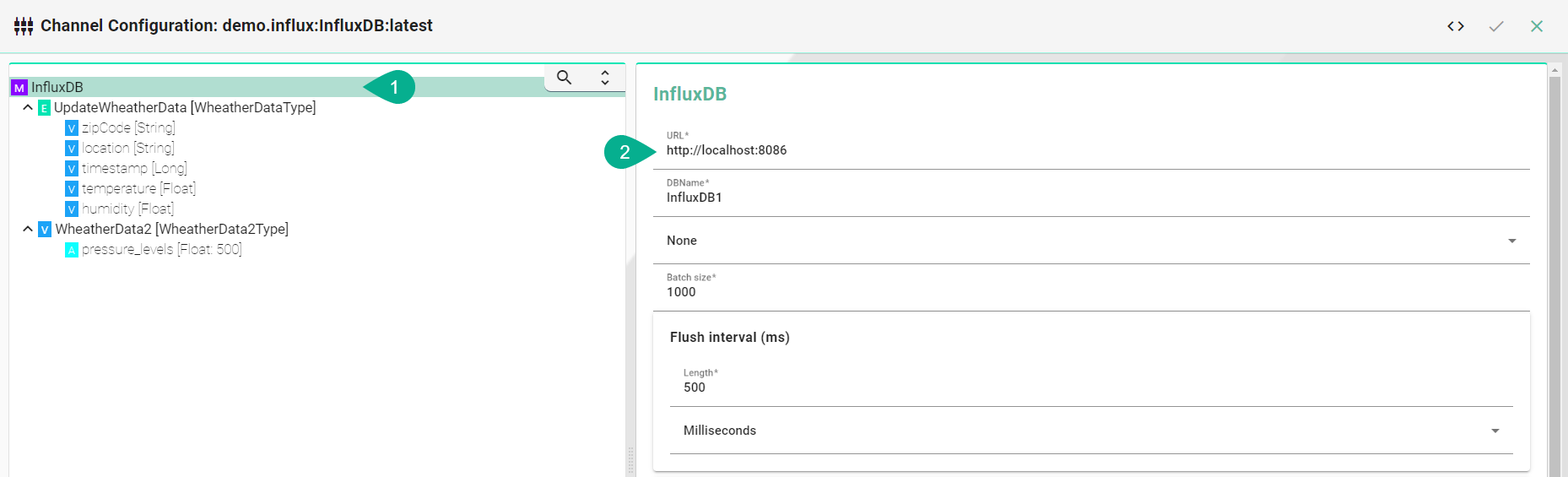
Description of configuration properties
Property |
Description |
Example |
|---|---|---|
URL |
Database URL and port |
|
DB Name |
Database name |
|
Credentials |
Database credentials |
|
Batch size |
Data written in batches |
|
Flush interval |
Delay between data flushes in milliseconds, at most batch size records are sent during flush |
|
Measurement |
Name of the measurement stored in influxdb |
|
Tag names |
Optional tag to be added to the measurement |
|
Writing / Event Configuration
Select the event node
Enable the checkbox to configure the event
Enter the Measurement - if it differs from the event name
Enter Tags - comma separated
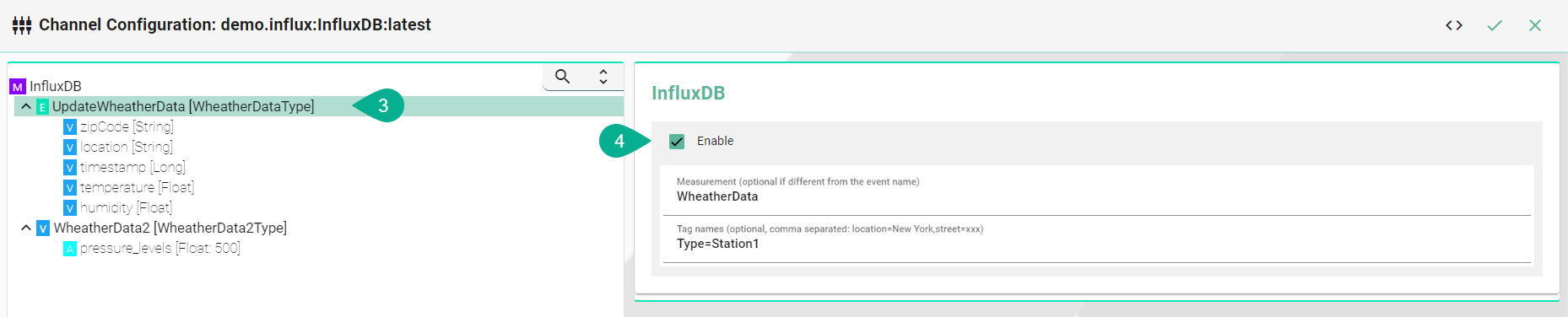
Tags
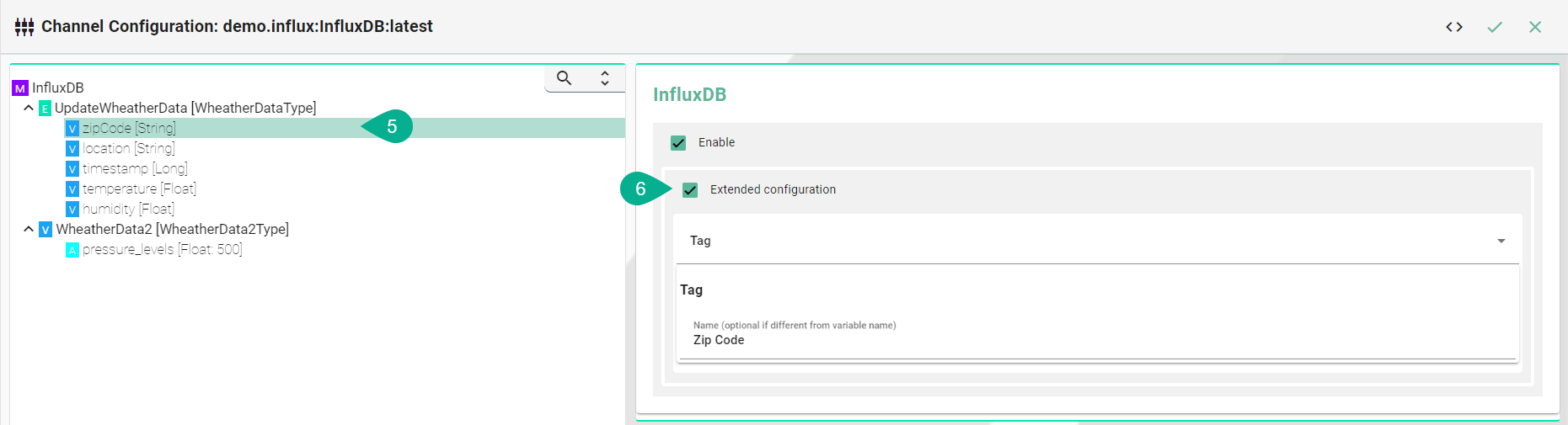
Tags are metadata for the data. They're made up of key-value pairs, and they describe attributes of the data that don’t change every time the data point is recorded. To configure a variable as a tag follow the steps below:
Select the variable which should be a Tag
Enable Extended configuration
Select Tag from the drop-down menu
Enter a Name - if it differs from the variable name
Fields
Fields represent the actual data stored and consist of key-value pairs. Unlike tags, fields aren't indexed. Variables not explicitly configured are automatically recognized as fields by the InfluxDB Channel.
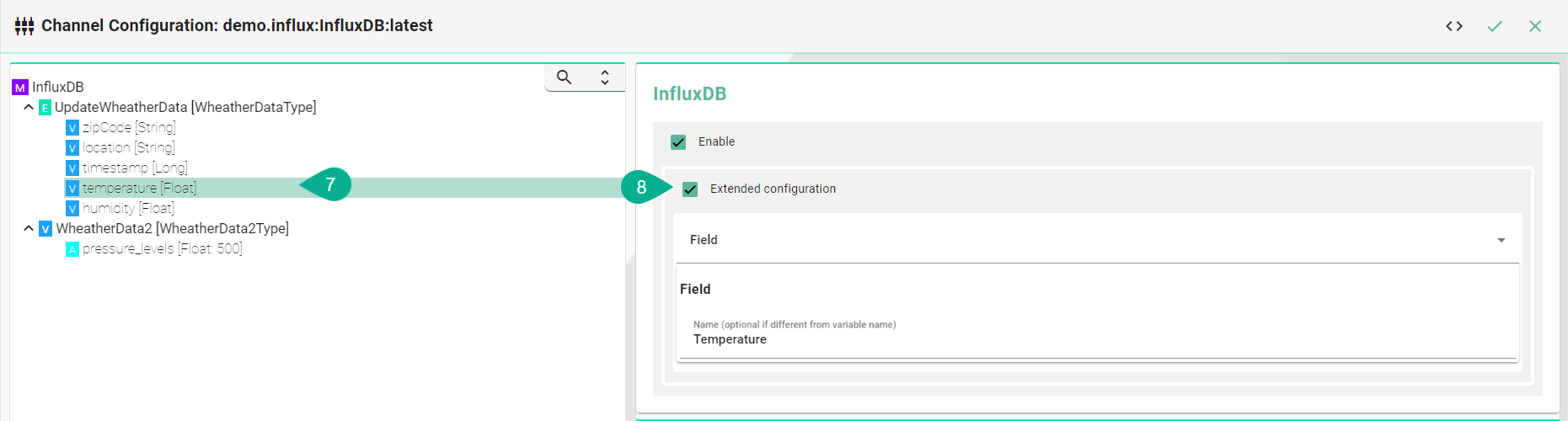
If the field name should differ from the variable name in the Information Model, follow the steps below:
Select the variable which should be a field
Enable Extended configuration
Select Field from the drop-down menu
Enter a Name - if it differs from the variable name
Time
Timestamps indicates when a data point occurred and, in combination with its tag set, uniquely identifies that data point in a series. The time can be provided as:
Long value (unix timestamp)
String (format needs to be provided in the configuration)
OffsetDateTime
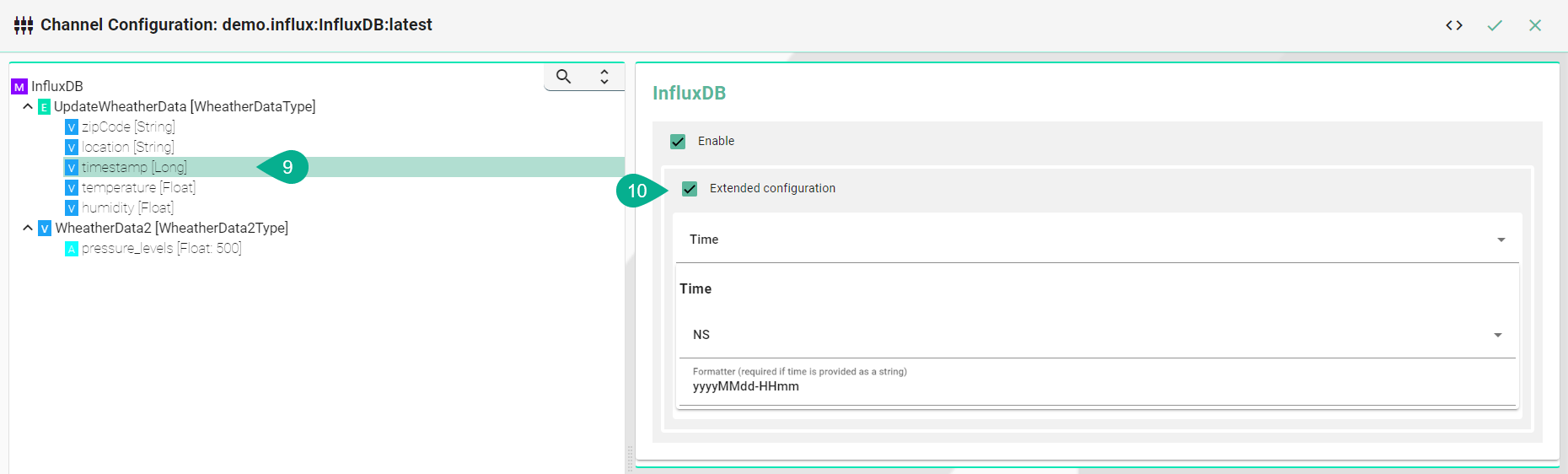
To configure a variable as a time follow the steps below:
Select the variable which should be a time
Enable Extended configuration
Select Time from the drop-down menu
Select the Precision (Only for variables of type Int or Long)
Enter a Formatter (This is required if time is provided as a String)
Arrays
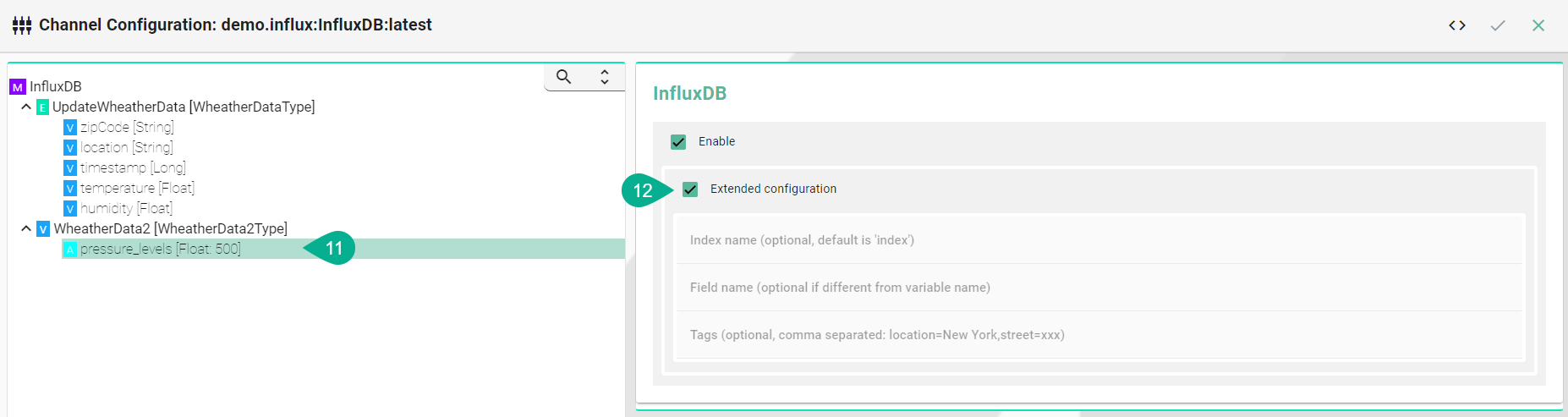
Select the Array
To configure the Array select Extended Configuration
(Optional) Enter an Index name
(Optional) Enter a Field name if the event node name differs from the actual name in InfluxDB.
(Optional) Enter Tags separated by commas e.g., (location=NewYork, street=xxx)
Reading / Command Configuration
Select the command node
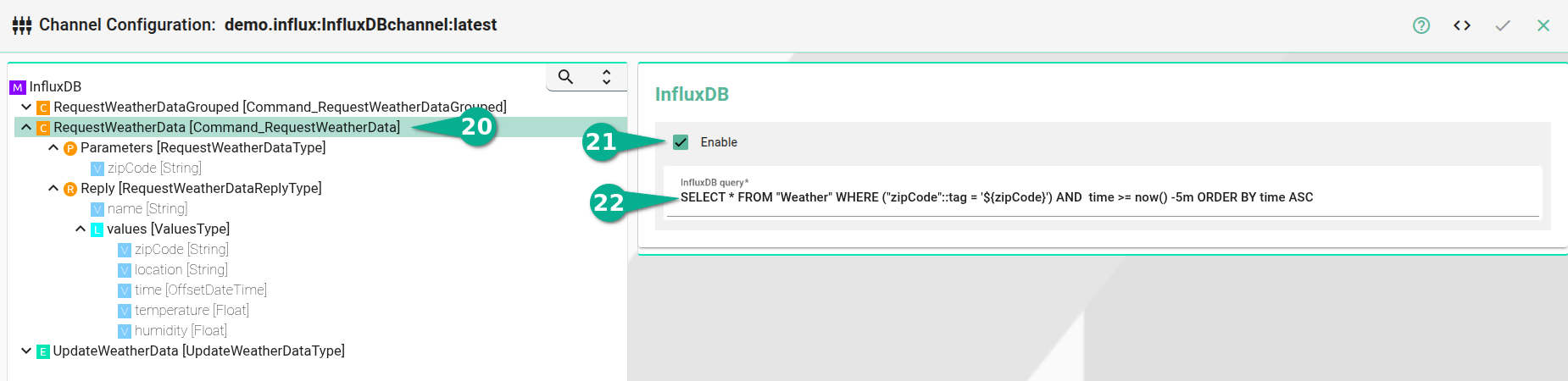
Enable the checkbox to configure the command
Enter the query.
For using variables in the query the
${MyVariableName}pattern can be used