SQL Database
Characteristics - SQL Database
The SQL Channel can be configured for the following two scenarios:
Inserting data
Updating data
Retrieving data
When inserting values into the database please note that "infinity" values are converted automatically into "null" values.
Information Model Requirements
Insert/Update
The node after the root model node must be of type Event
 which represent a database table.
In case of relational databases: Tables which are dependent on each other require a List
 .
.Columns of databases are represented by Variables
 .
.

Select
The Command
 defines that after a request is made, a reply with a result is expected.
Parameters
 within a Command represent a collection of query parameter - query parameters are defined as Variables .
Reply
 within a Command represents the result of the Command - results are defined as Variables .

How to configure the SQL-Database
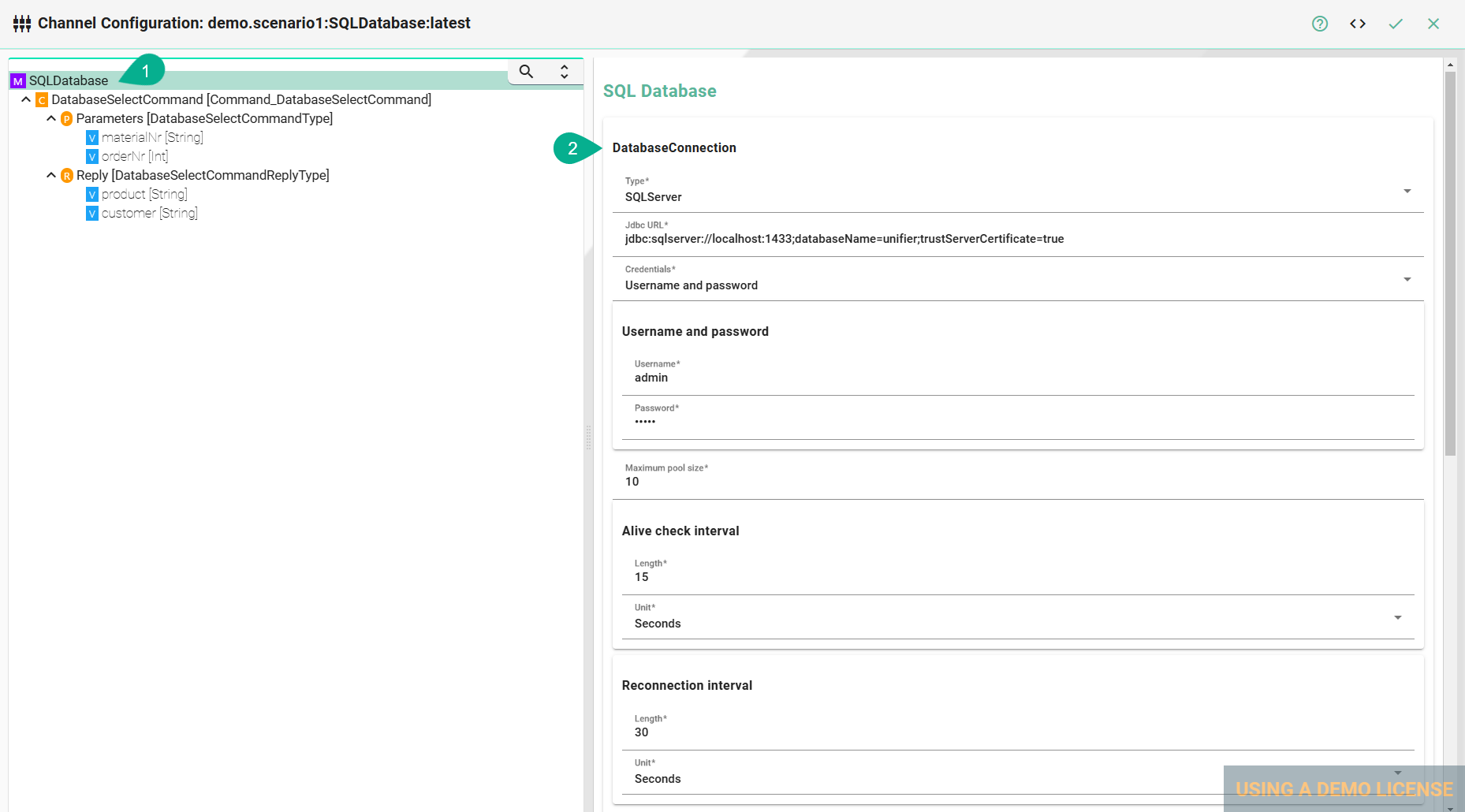
Select the root model node in the tree on the left.
Configure the database connection
Select the Database type
Enter the database connection URL for the specific database type
DB2:
jdbc:db2:server:port/databaseHSQLDB:
jdbc:hsqldb:file:databaseFileName;propertiesORACLE:
jdbc:oracle:thin:prodHost:port:sidPostgreSQL:
jdbc:postgresql://host:port/databaseSQLServer:
jdbc:sqlserver://[serverName[\instanceName][:portNumber]][;property=value[;property=value]]MariaDB:
jdbc:(mysql|mariadb):[replication:|loadbalance:|sequential:|aurora:]//<host>[:<portnumber>]/[database][?<key1>=<value1>[&<key2>=<value2>]]
Enter the database Username and Password or select it from the Credentials Manager
Set the Maximum pool size
Specify the Alive check interval
Specify a Reconnection interval
Description of configuration properties:
Property |
Description |
Example |
|---|---|---|
Type |
Type of the database |
|
ReconnectInterval |
Time to reconnect if connection to the database fails |
|
JdbcUrl |
Url to connect to database |
|
Username and password |
Credentials of the database |
|
Alive check interval |
Duration between checks to determine if a database connection is still alive |
e.g.: |
Maximum pool size |
Specifies the number of connections that can be maintained in the pool (ensuring that the database can handle a specified number of simultaneous database interactions) |
e.g.: |
Note
The configuration of specific information model nodes differs whether you want to perform an insert or an select statement on the database. Inserting data into the database requires an event node whereas selecting data requires a command node in the Information Model.
ORACLE
The JDBC Driver by default is not included in the SMARTUNIFIER package. To use the database type Oracle please follow these steps:
Review and accept the Oracle License Agreement
Navigate to ..SmartUnifierManager/repository/amorphsyslib/com.oracle.database.jdbc/ojdbc11/jars
Download the Oracle JDBC Driver and add it to the specified directory
Select Statement
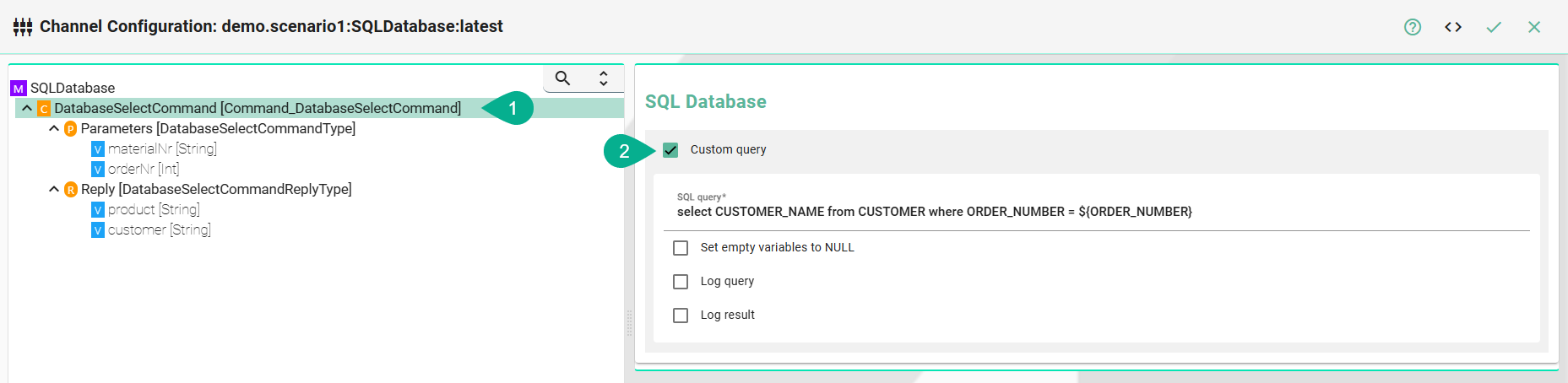
Select the command node in the tree on the left.
Check the Custom Query checkbox
Enter the SQL Query
(Optional) Check the Set empty variables to NULL if emtpy variables should be set to NULL in the SQL statement
(Optional) Check the Log query checkbox to explicitly allow logging of the defined SQL statement to the database.
(Optional) Check the Log result checkbox to explicitly allow logging the entries (result) the query returned.
Note
Both the logging options (Log query and Log result) are recommended settings during the configuration and testing of the communication instance. In production mode, this should be disabled.
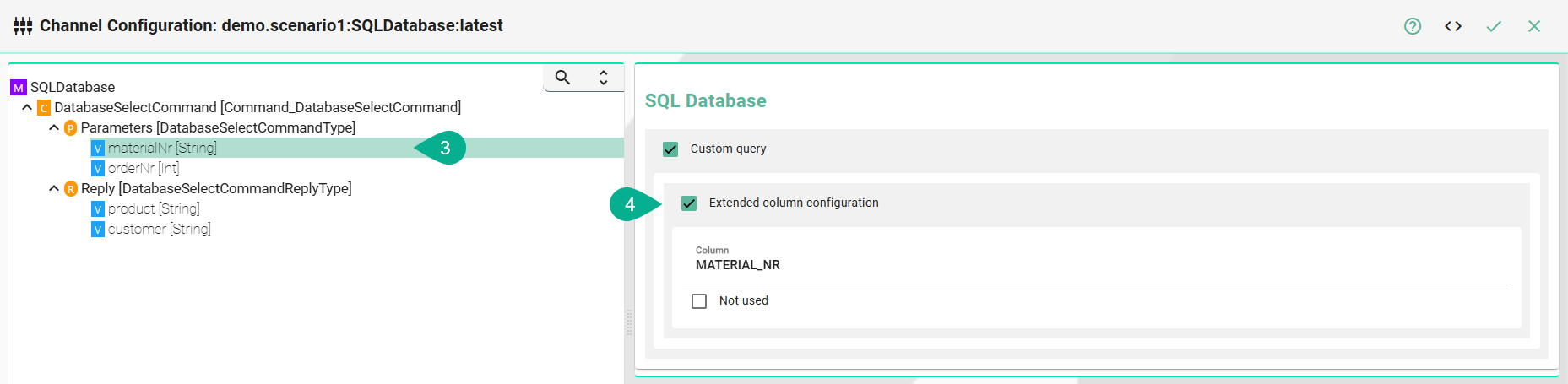
Each variable under Parameters and Reply needs to be assigned to a corresponding database column. To configure this, select the variable node under Parameters and then choose the appropriate option in the tree structure.
Check the Assign database column checkbox
Enter the Column name as it is defined in the used database
(Optional) Check Not used to exclude the variable from the database operation
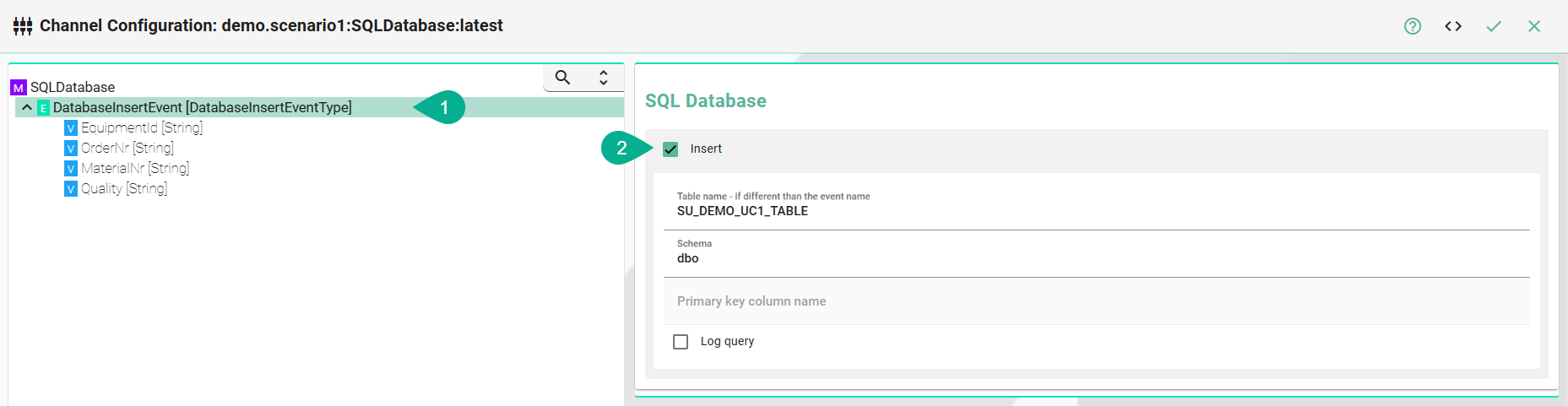
Insert Statement
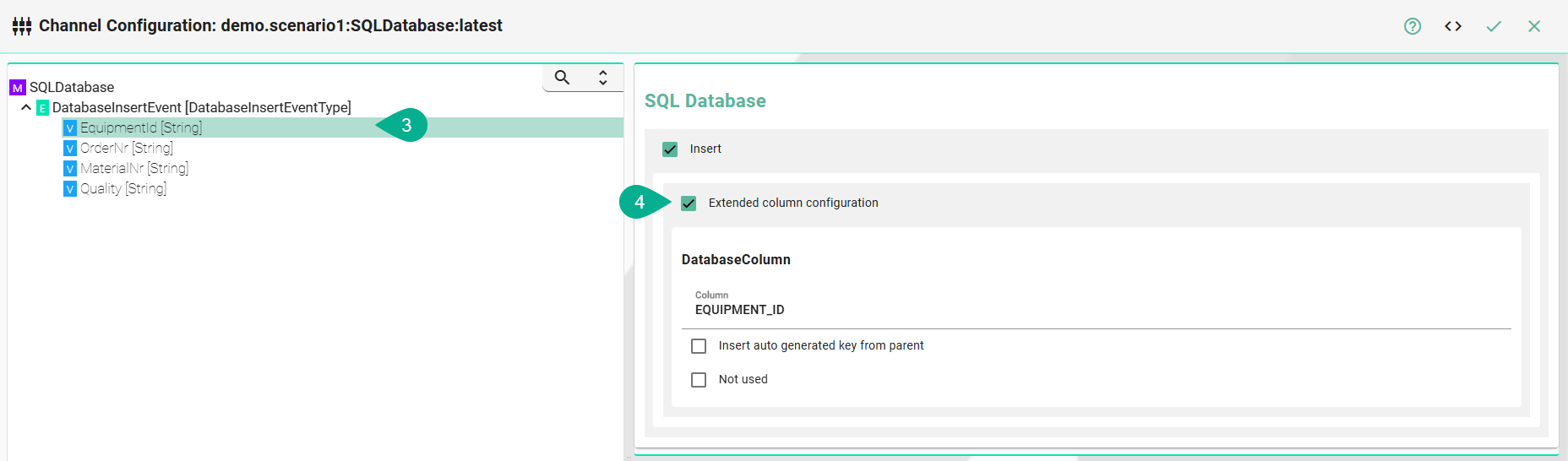
Select the event node in the tree on the left.
Check the Insert checkbox
Enter the Table name
(Optional) If required enter a Schema name
(Optional) Enter the Primary key column name
(Optional) Check Log query to explicitly allow logging of the defined SQL statement to the database. This is recommended during the configuration and testing of the communication instance. In production mode, this should be disabled.
Select the variable node in the tree on the left
Check the Assign database column checkbox
Enter the Column name
(Optional) Check the Insert auto generated key from parent checkbox if the column relates to its parent
(Optional) Check Not used to exclude the variable from the database insert operation
Note
Configuration of the column name is only necessary if the column name in the database is different compared to the variable defined in the Information Model.